A corporate training content library should not be just a storage space for loose files. If every course, video, guide, or resource lives in a different folder without a shared logic, updating it becomes slow, reusing it becomes difficult, and scaling it requires too much manual work.
For training, HR, and Learning & Development leaders, the challenge is not only producing more content. The challenge is creating a structure that enables knowledge management in training, orderly maintenance, and real reuse without losing quality or pedagogical consistency.
The good news is that this structure can be designed from the start. It depends less on the volume of materials than on how they are described, classified, and related to one another.
Start with an architecture designed for finding, not just storing
The first criterion is simple: if someone cannot find a piece of content in a few seconds, that content only exists halfway. The library needs a clear navigation logic, based on categories that make sense to the people who use it, not just the person who created it.
That logic usually combines several levels: topic, role, depth level, language, format, and validity status. There is no need to make it more complicated. What matters is that each asset has a stable and predictable location.
When the structure is well designed, internal friction decreases. Teams stop asking for “that course we made last year” and can locate it by name, objective, or scope of application.
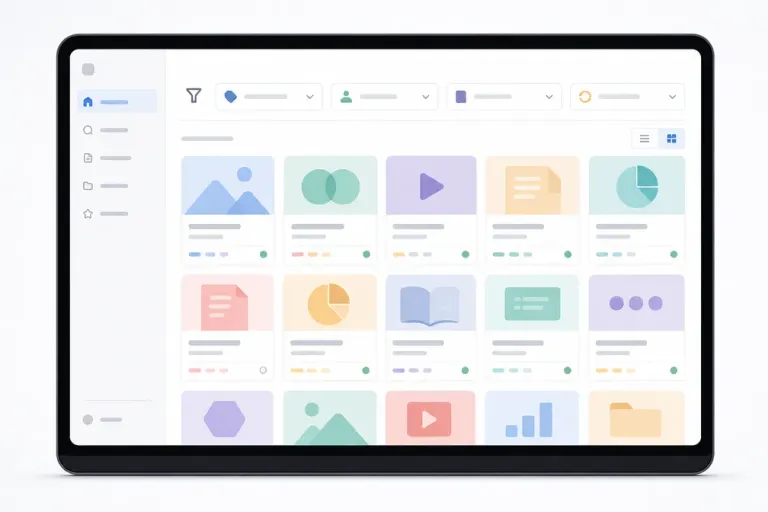
Define useful and consistent metadata
The library is not organized by folders alone. It needs consistent metadata so that each piece of content is readable for both people and systems. Without that layer, updating training content becomes a manual craft.
Each resource should include basic, always consistent information: standardized title, learning objective, target audience, duration, format, version, owner, and review date. If relationships between resources also exist, the library gains much more value.
This makes it possible to detect duplicates, identify dependencies, and know which pieces belong to the same learning path. It also makes control easier when one piece changes and another must be updated in cascade.
The goal is not to add fields for the sake of adding fields. The goal is to store only the information that helps update training content and make decisions without wasting time looking for context.
Structure content into reusable modules
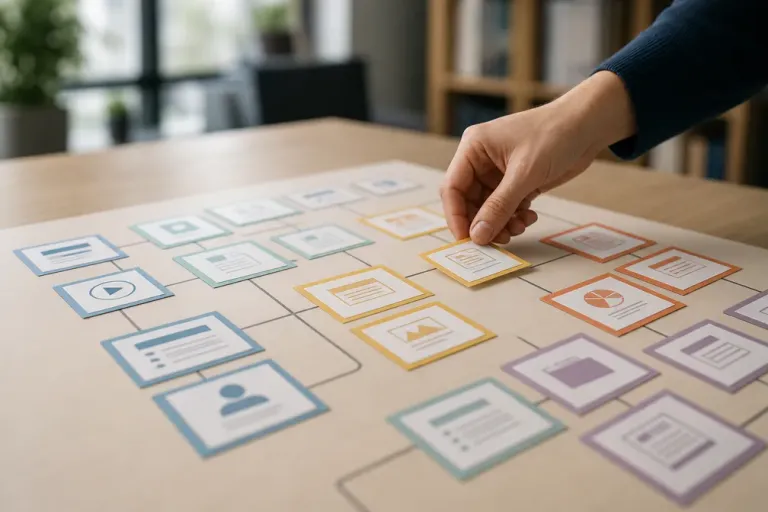
Reusing training content is much easier when materials are not created as closed, one-off pieces. If a course is built in small blocks with a clear purpose, those parts can be reused in other journeys, by role, by process, or by level.
For example, an explanation of an internal rule, a customer service simulation, or a short best-practices capsule can be reused in different contexts if they are designed with that criterion from the beginning.
The key is to separate what is stable from what is variable. The stable part remains in the core of the content. The variable part adapts to the context, language, use case, or audience.
Plan versioning, expiry, and review
A useful library does not depend only on creating content, but on keeping it alive. If there is no version system, any update can create confusion between old copies, drafts, and already published materials.
That is why each piece of content should have a clear status: under review, active, replaced, or archived. This simple classification helps prevent outdated materials from continuing to circulate within the organization.
It is also advisable to set a review cadence according to the type of content. Not everything needs the same frequency. A legal procedure, a product guide, or an onboarding resource do not age at the same rate.
When review is planned, the library stops growing in an unstructured way and becomes a solid base to scale digital training without compromising quality.
Design for different uses from the start
A common mistake is creating content with only one course in mind. In reality, the library should serve several uses: formal learning, reinforcement, quick reference, onboarding, refresher training, or rapid updates.
If each resource is designed with that possibility in mind, reuse increases without the need to rebuild everything. The same material can work as microcontent, session support, a self-learning piece, or an operational reference.
That flexibility is especially valuable when business priorities change. A well-designed library allows faster response because it already has pieces ready to be recombined and adapted.
It also makes it easier for training not to depend on isolated projects. The organization starts working with living assets, not with closed deliverables that are forgotten after publication.
Connect the library with technology and content governance
The structure works better when there are tools to support it. A well-configured learning platform can help organize access, versioning, search, and content distribution.
It is also important to define who creates, who validates, who approves, and who archives. Without that governance, the library fills up with duplicate or inconsistent pieces, even if the technology is strong.
At this point, automation can add a great deal of value, as long as it does not replace pedagogical judgment. The ideal is for technology to reduce mechanical tasks and leave more time to design better learning experiences.
A well-organized corporate training content library does more than save time. It also improves traceability, reinforces coherence, and makes growth possible without multiplying manual work.
At FIT Learning Systems, this approach fits digital training designed for companies, supported by SmartMobile, ADI Nex, and tailored courses when the project calls for them.
